Enterprise Multi-Agent Workflows: Engineering Rules for Reliability
Enterprise Multi-Agent Workflows: Engineering Rules for Reliability
A multi-agent workflow splits a task across several specialized AI agents that plan, call tools, and check each other’s work instead of relying on one model to do everything. The rule that actually makes these systems reliable: pair the three core patterns, planning, tool use, and reflection, with explicit orchestration and typed interfaces between agents. Skip either half and you get expensive, unpredictable failures. The checklist below covers the implementation details.
TL;DR:
- Multi-agent workflows are necessary when tasks require multiple skill sets, involve long processes with checkpoints, or need independent verification of outputs.
- Effective orchestration relies on typed interfaces, explicit handoffs, and reflection loops to catch errors before they propagate across agents.
- Building reliable systems requires defining action schemas, recording decision traces, and implementing operational controls like success monitoring and spawn limits.
- Production success depends on strict interface contracts and detailed trace logs, with a narrow pilot project providing clearer insights than sprawling architectures.
- For simple, infrequent, or single-context tasks, a single-agent or scripted pipeline remains more cost-effective and easier to manage.
Table of Contents
- What a Multi-Agent Workflow Actually Is (and When You Need One)
- Planning, Tool Use, and Reflection: The Three Patterns That Hold Things Together
- How to Coordinate Multiple Agents Without Losing Control
- The Engineering Checklist for Production-Grade Agent Systems
- What Production Deployments Actually Show
- When Not to Build a Multi-Agent System
- Building Production Agent Systems With Arosplatforms
- Sources
- FAQ
What a Multi-Agent Workflow Actually Is (and When You Need One)
A single-agent setup is one model handling a prompt end to end, with a scripted automation running fixed steps in a fixed order. A multi-agent workflow is different: it decomposes work into subtasks, assigns each to an agent with a narrow job, and coordinates the handoffs so the whole system can adapt mid-run instead of failing rigidly. Google Cloud describes agentic workflows as systems where specialized agents connect through orchestrators and tool calls to act on live infrastructure, not just generate text.
Reach for multi-agent design when a task genuinely needs more than one skill set, runs long enough that independent checkpoints matter, or benefits from a second agent verifying the first agent’s output. Three cases that come up constantly in production:
- Repository audits where one agent scans for issues and a separate agent validates each finding before it becomes a ticket
- Data migrations where a planner agent sequences steps and a tool-using agent executes against a live database
- Multi-domain automation, like an intake agent routing requests to specialized agents for billing, scheduling, and compliance
If a task fits in one context window and needs no independent verification, a single agent or a plain script is faster to build and easier to debug.
Planning, Tool Use, and Reflection: The Three Patterns That Hold Things Together
Neo4j’s breakdown of agentic AI identifies three patterns that show up in nearly every reliable agent system, and each one solves a different failure mode.
- Planning. A planner agent decomposes a goal into ordered subtasks at runtime, rather than following a hardcoded script. A planner handling a data migration might output a task list like “audit schema, generate mapping, run dry pass, execute, verify row counts” and adjust that list if the audit reveals unexpected columns.
- Tool use. Agents call external APIs, scripts, or databases to act on the actual system state, not just their own reasoning. This is where credentials matter: keep tool credentials scoped per agent and route tool calls through a context protocol, similar to how GitHub’s engineering guide recommends Model Context Protocol style boundaries, so one compromised agent can’t touch tools it has no business calling.
- Reflection. An agent, or a separate validator agent, critiques an output against explicit success criteria and loops until it passes. A reflection check might be as simple as “does this SQL query return the row count the plan expected.”
Pro Tip: Don’t let the same agent both generate and grade its own output. A dedicated validator catches errors a self-checking agent tends to rationalize away.
Composed together: a planner sequences the work, tool-using agents execute against real systems, and a reflection step catches errors before they propagate downstream.
How to Coordinate Multiple Agents Without Losing Control
Three orchestration shapes cover most production systems. A central workflow script runs agents in a fixed sequence with one controller deciding what happens next, which is the easiest to debug and the easiest to bottleneck. A supervisor or lead agent delegates to specialist sub-agents and synthesizes their outputs, giving you flexibility without full decentralization. A decentralized message bus, where agents publish and subscribe to events with no single controller, scales best under heavy parallel load but makes failures much harder to trace.
State sharing follows the same trade-off curve. A shared scratchpad or memory store is simple but can get overwritten by conflicting writes. Graph-based state, where agents are nodes and transitions are edges, keeps state changes explicit and auditable. LangGraph uses exactly this model to handle cyclical workflows and hierarchical agent teams without losing track of who changed what.
For coordination itself, four patterns cover almost every real scenario:
- Explicit handoffs, where one agent formally passes a typed output to the next rather than relying on shared context
- Safe outputs, where writes are scanned and constrained before they hit production systems
- Contract-net protocols, borrowed from classical multi-agent systems research, where agents bid on subtasks
- Voting or consensus, reserved for decisions expensive enough to justify running the same check twice
Central scripts give you the best observability and worst scalability. Decentralized buses invert that trade-off entirely.
The Engineering Checklist for Production-Grade Agent Systems
Most multi-agent failures trace back to two things: loose interfaces between agents, and no record of what happened when something broke. Fix both before you scale past a prototype.
- Define typed action schemas for every agent interface. Every input and output should be a typed structure, not a free-text blob, so a downstream agent can’t misinterpret what an upstream agent meant.
- Declare safe-outputs and guardrails for any write action. For comprehensive enterprise security guidance on implementing these guardrails and safe-output practices, see Securing AI at the Enterprise Level. GitHub’s agentic workflow docs describe frontmatter-style configuration that scans outputs before they touch production and runs agents in isolated environments by default.
- Record shared state and decision traces. Log why an agent made a call, not just what it called, so an audit six weeks later doesn’t require re-running the whole workflow to understand it.
- Test at three levels. Unit test individual agents against fixed inputs, run adversarial integration tests that feed malformed handoffs on purpose, and run chaos tests that simulate the specialization conflict DAWN’s research on distributed agent synthesis identifies as a primary failure mode in heterogeneous agent teams.
- Monitor per-agent success rates, token spend, and health separately. A workflow that looks fine in aggregate can hide one agent silently failing on 20% of runs.
- Set operational controls before launch. Cap the number of agents a workflow can spawn, since Anthropic’s Claude Code documentation flags runaway agent spawning as a real cost risk, and build in approval gates and resume points for anything touching production data.
Treat this checklist as the minimum bar, not the finish line. Systems that skip steps 3 and 5 tend to work fine in demos and fail quietly in production, which is worse than failing loudly.
What Production Deployments Actually Show
Multi-agent systems that hold up under real traffic almost always trace their reliability back to the same three patterns: a planner that decomposes work honestly, tool calls that respect scoped credentials, and reflection loops that catch errors before they compound across agents. Orchestration is what turns those patterns into a system instead of three disconnected scripts.
The gap between a working demo and a production agent workflow is rarely the model. It’s whether every handoff between agents has a typed contract, and whether someone can look at a trace log six months later and reconstruct exactly why the system made the call it made.
Arosplatforms has seen clients reach rapid ROI within twelve months of deployment, with an average 82% faster turnaround on the tasks these workflows automate. That kind of result comes from getting the orchestration layer right before scaling agent count, not after. A narrow pilot, one workflow, two or three agents, clear success metrics, tells you more in three weeks than a sprawling architecture tells you in three months.
When Not to Build a Multi-Agent System
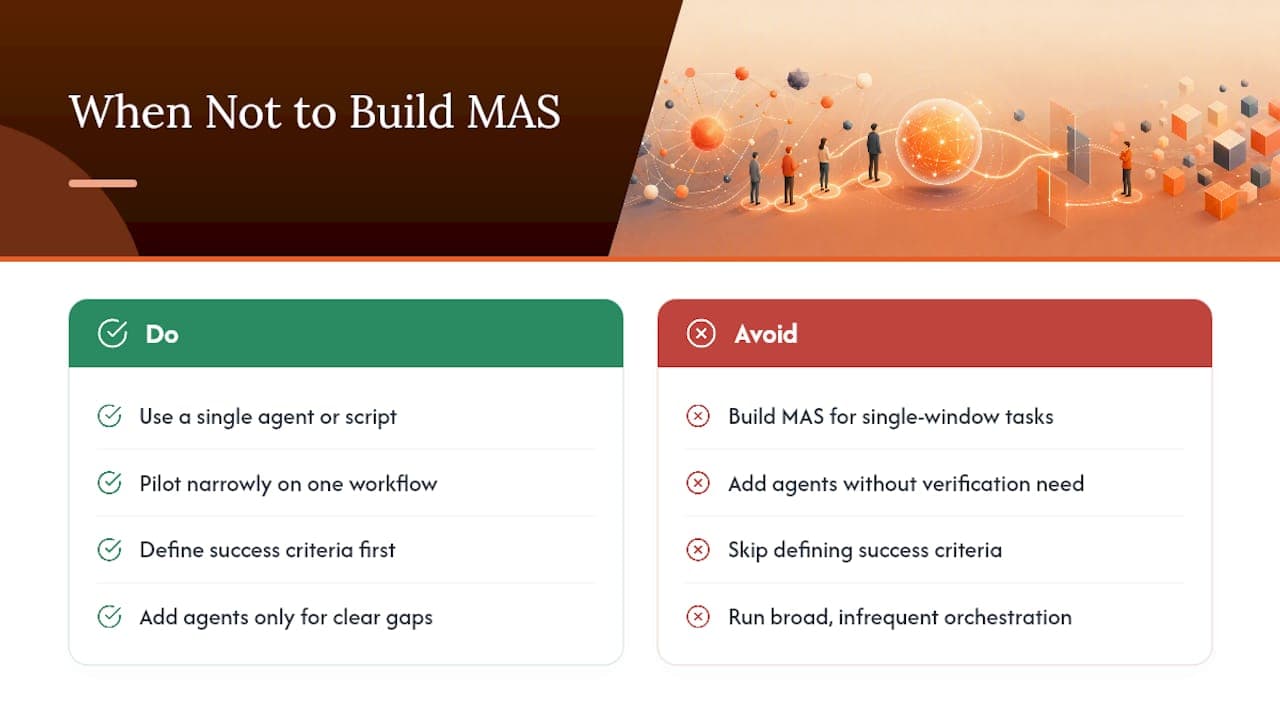
If a task fits one context window, has no need for independent verification, and runs infrequently, a single agent or a scripted pipeline will outperform a multi-agent system on cost and debuggability. Multi-agent workflows carry real operational overhead: more tokens spent per task, more surfaces to monitor, more places for a handoff to fail silently. Pilot narrow. Pick one workflow, define success criteria before you write a line of orchestration code, and only add agents when a specific capability gap justifies the added complexity.
Building Production Agent Systems With Arosplatforms
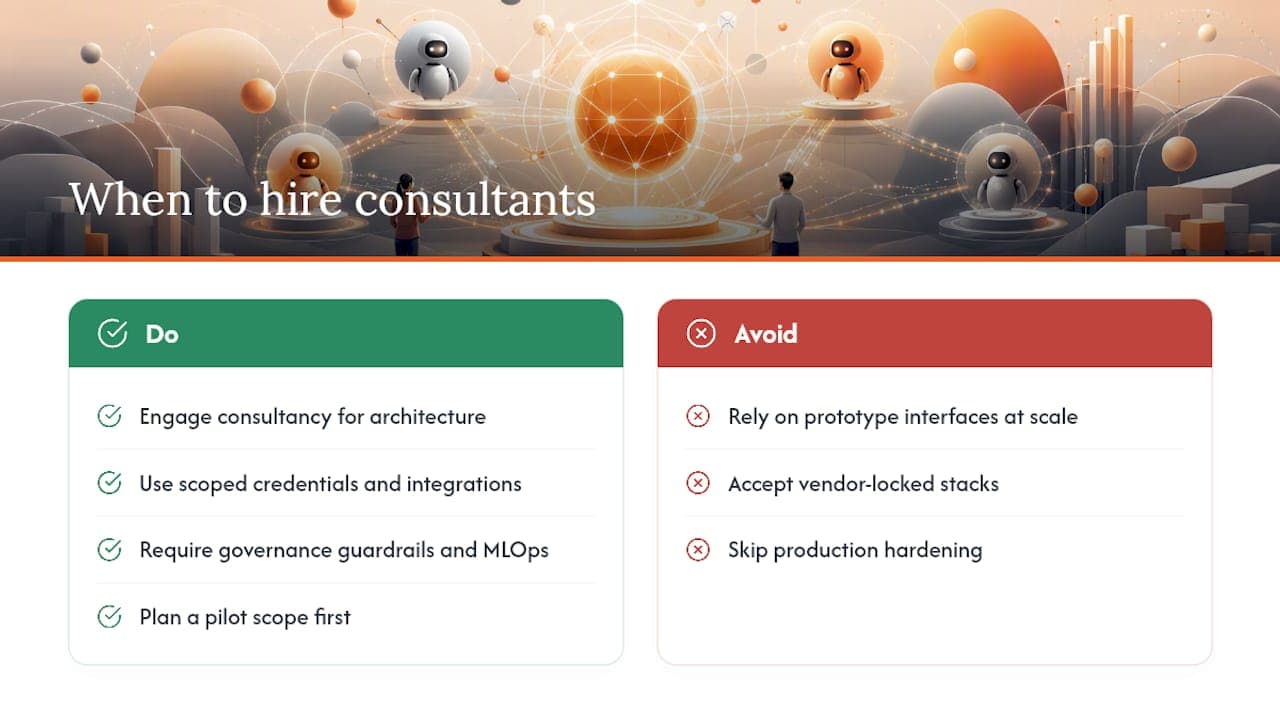
Most teams get the model choice right and the orchestration wrong, which is exactly the layer that decides whether a multi-agent system survives contact with production traffic. Some consultancies provide agent architecture design, tool integration with scoped credentials, governance guardrails, and MLOps infrastructure for monitoring agent health once the system is live. Typical offerings include an implementation roadmap, production hardening against specialization conflicts and loose interfaces that break prototypes at scale, and enablement to help teams run systems independently. That ownership model matters more once you’ve seen how fast a vendor-locked agent stack becomes a liability.
If you’re an enterprise team evaluating whether to build in-house or bring in help, start with Arosplatforms’ AI consulting for U.S. enterprises page and outline your first pilot scope before your next planning cycle.
Sources
- What are agentic workflows? — Neo4j
- Multi-agent workflows often fail. Here’s how to engineer ones that don’t. — GitHub Blog
- What are agentic workflows? — Google Cloud
- LangGraph: multi-agent workflows — LangChain blog
FAQ
What Are Some Examples of Multi-Agent Projects?
Common examples include repository audit systems with a scanning agent and a validator agent, data migration pipelines with a planner and execution agent, and customer support systems that route requests to specialized billing, scheduling, or compliance agents.
What Are Examples of Multi-Agent Systems in Production?
Graph-based runtimes like LangGraph power hierarchical agent teams in production, while platforms like GitHub’s agentic workflows run isolated agents with frontmatter-defined permissions for tasks like code review and issue triage.
What Is the Best Framework for Multi-Agent Coordination?
There’s no single best framework. Graph-based runtimes like LangGraph fit workflows needing cycles or hierarchical teams, while simpler central workflow scripts suit linear pipelines. The right choice depends on your state-sharing needs and fault-isolation requirements, which is exactly what Arosplatforms’ AI agents and automation work is built to assess case by case.
What Are the Main Types of AI Agents in Multi-Agent Workflows?
Agents are typically categorized by role: planner agents that decompose tasks, tool-using agents that act on external systems, reflection or validator agents that check outputs, supervisor agents that coordinate other agents, and specialized domain agents built for a narrow function.
Why Do Multi-Agent Workflows Fail in Production?
Failures usually trace to loose interfaces between agents, missing typed schemas, or workflow specialization conflict where agents step on each other’s outputs, as DAWN’s research documents in distributed agent systems.