Legal Intake Automation: A Guide for U.S. Law Firms
Legal Intake Automation: A Guide for U.S. Law Firms
Legal intake automation means software handles the repeatable first steps of taking on a client (capturing the inquiry, screening it, checking conflicts, booking the consultation and sending the engagement letter) while a lawyer keeps every judgment call. Firms that build this around their own practice areas, systems and ethics obligations get the most from it. That is the work we do at Arosplatforms, where we design AI systems for legal and professional services that your team owns.
TL;DR
- Automate the mechanical steps: inquiry capture, acknowledgment, qualification questions, scheduling, engagement letters and matter opening. Keep conflict decisions and legal advice with a lawyer.
- Speed is the biggest lever. Hennessey Digital’s 2025 study of 1,333 U.S. firms found a median web-form response time of 13 minutes, and 26% of firms never responded.
- ABA Formal Opinion 512 (July 2024) requires confidentiality risk review and, for self-learning tools, informed client consent before client information goes in.
- Tell prospective clients when they are talking to a chatbot, and build hard stops that hand complex inquiries to a person.
- Measure a 30-day baseline before launch, then compare the same funnel metrics after.
Table of Contents
- What legal intake automation covers
- The six-step automated workflow
- Conflict checks: automate the search, not the decision
- Where a person must stay involved
- Confidentiality and AI rules to design around
- Setting it up
- Why speed is the first thing to fix
- Measuring whether it works
- Our perspective
- Build intake around your firm
- FAQ
- Sources
What legal intake automation covers
Intake is everything between a stranger’s first message and an opened matter. The ABA’s Law Practice Magazine points to online intake forms, client portals, AI email assistants available around the clock, and chatbots that engage website visitors, gather key details and screen for case compatibility. It also says these tools must be approached with care for ethical compliance.
A chatbot answers a question and stops. An agent can take action across your systems: write to the CRM, book the calendar, draft the letter. If you want the distinction, our glossary explains chatbot versus AI agent and conversational AI.
The six-step automated workflow
A typical automated intake, as Perimattic’s guide lays it out, runs in six steps. Here is each one, with where it tends to go wrong.
- Inquiry capture and acknowledgment. Every channel (web form, phone, text, chat, email) lands in one record, and the person gets an immediate reply. The failure: channels that feed separate inboxes, so nobody sees the whole picture.
- Conflict check. The inquiry is checked against current, former and prospective clients. The failure: a name list that misses variant spellings and business names.
- Qualification. Practice-specific screening questions decide fit, with a recorded reason for every decline. The failure: generic questions that pass everyone or reject good matters.
- Consultation booking. The lawyer’s real calendar is used, with reminders. The failure: booking links that ignore the lawyer’s availability or conflicts.
- Engagement letter. Generated from fee-type templates and sent for e-signature. The failure: terms typed by hand and inconsistent.
- Matter opening. Contacts and fee terms are created from the intake data, and any retainer is requested into trust.
The point of the sequence is that each step feeds the next with data entered once. The ABA article notes that manual data entry raises the risk of errors and wastes staff time, and recommends using intake data to auto-populate later forms.
Conflict checks: automate the search, not the decision
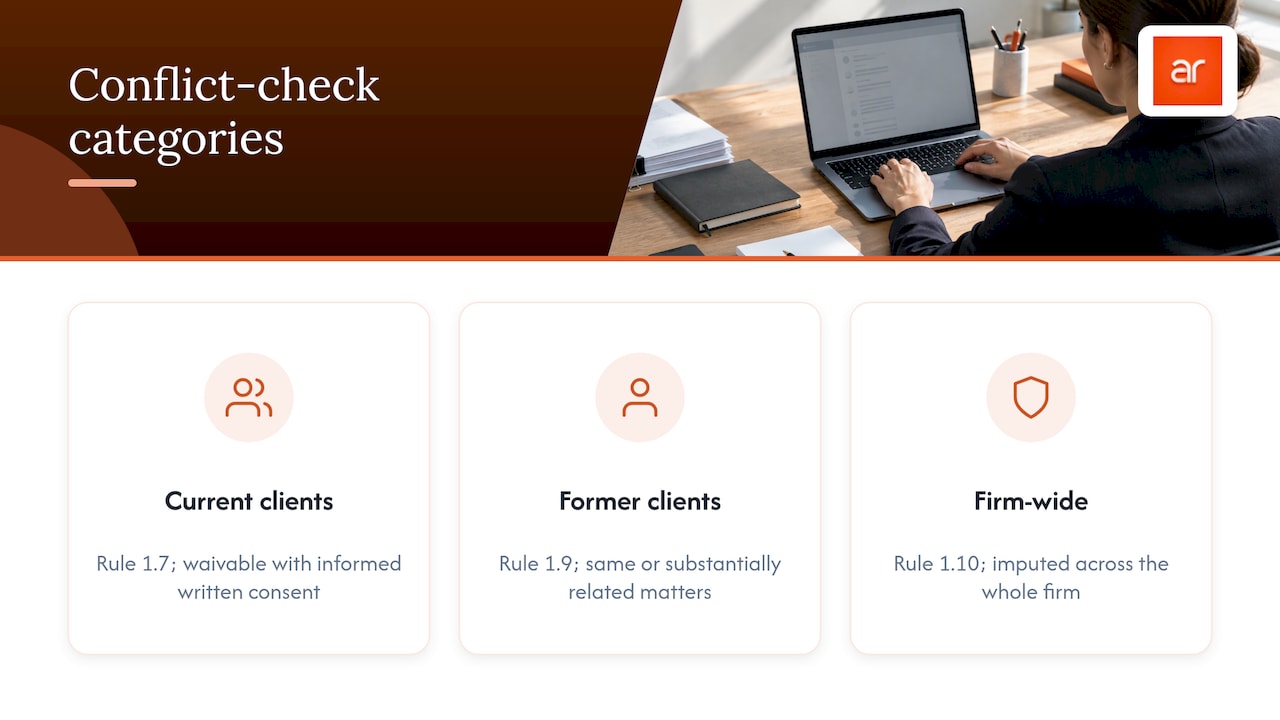
A conflict check has to catch three things under the ABA Model Rules, as Perimattic’s summary describes them: concurrent conflicts with current clients (Rule 1.7, waivable with informed written consent), adverse representation of former clients in the same or a substantially related matter (Rule 1.9), and imputation across the whole firm (Rule 1.10).
Software can do the heavy lifting if it searches one list of every client, former client, prospective client, opposing party and related person, including variant spellings and business names. A lawyer still makes the final determination.
Order matters too. Under Rule 1.18, a person who consults about possibly forming a relationship is a prospective client, and the firm can be barred from adverse work if it learns significantly harmful information. One exception requires reasonable measures to avoid more disqualifying information than necessary. In practice, that means your form should collect names and parties first and the full story only after the conflict check clears.
Where a person must stay involved
The ABA article, written by Patrick Allen Wright, frames Formal Opinion 512 as the ethical tightrope: technology can assist but cannot replace human oversight. A chatbot that screens case compatibility cannot detect conflicts, credibility concerns or emotional factors that affect the attorney-client relationship.
ABA Formal Opinion 506 says a lawyer may train and supervise a nonlawyer to do prospective-client intake, as long as the prospective client can always speak with a lawyer. Rule 5.5 still bars assisting unauthorized practice on specific legal questions, so an automated assistant should not answer them either.
A workable division:
| Task | Automate | Lawyer or staff decides |
|---|---|---|
| Acknowledging inquiries | Yes | No |
| Collecting names and parties | Yes | Reviews flags |
| Conflict search | Yes | Final determination |
| Screening questions | Yes | Edge cases, declines |
| Scheduling and reminders | Yes | No |
| Engagement letter drafting and e-signature | Yes | Approves fee terms |
| Legal advice or case evaluation | No | Always |
The fee terms matter. ABA Model Rule 1.5(b) calls for communicating the scope of representation and the basis of the fee, preferably in writing, and Rule 1.5© requires a contingent fee agreement in a writing signed by the client. Template-driven letters and short non-engagement letters for declined inquiries make that consistent.
Confidentiality and AI rules to design around
The rules are the reason a generic tool is not always enough.
- Confidentiality review. ABA Formal Opinion 512, issued July 29, 2024, requires lawyers using generative AI to assess confidentiality risks under Rules 1.6, 1.9© and 1.18(b) before inputting client or prospective-client information. Informed client consent is required before entering information into self-learning tools, and boilerplate in an engagement letter is not enough.
- Policies and training. The same opinion says managerial lawyers must set clear policies on permissible use, and supervisors must make reasonable efforts to ensure compliance, including training on capabilities, limitations, ethics and secure data handling.
- Chatbot disclosure. A Florida advisory opinion (Op. 24-1), noted in an ABA Law Practice Magazine article, reminds attorneys they remain responsible if a chatbot gives misleading information, and that firms should tell prospective clients it is a chatbot. Micah Buchdahl’s advice in the same piece: avoid legal advice, hand off at the right time, set hard stops for complex inquiries, and test conversations periodically.
- Vendor contracts and state rules. Clio’s 2026 compliance guide lists Oregon Formal Opinion 2025-205, which requires careful review of AI vendor contracts, and says Florida requires chatbots to disclose that they are AI and not a lawyer or firm employee. Check your own state bar for its current position.
- Bias and security. The ABA’s March–April 2025 article says automated decisions should not unintentionally exclude or disadvantage certain clients, and that intake systems should use encryption and secure portals.
For a deeper look at the governance side of AI generally, see our definition of AI governance. If your team also publishes on these topics, resources on humanizing AI-written text can help keep client-facing copy natural.
Setting it up
OpenLaw’s implementation checklist (February 2025) describes most firms going live within a week with an off-the-shelf tool. The sequence is sound whatever you build:
- Audit your current workflow and note where inquiries stall.
- Define qualification criteria by practice area.
- Connect your practice-management system and CRM.
- Configure routing and escalation to a named person.
- Run the automation alongside the manual process for a week, comparing response time, data completeness and conversion.
- Go live and track KPIs.
The ABA also recommends CRM reports that show where each lead sits: which marketing works, whether the lead has been contacted, and what follow-up is scheduled.
The hard part is step 3. Firms with their own matter-management setup, document templates and referral sources often find that connecting a standard tool to all of them takes more than a form. That is where we build custom: our custom AI development engagements run from readiness assessment through proof of concept to a production system, and the result is yours to run without vendor lock-in.
Why speed is the first thing to fix
The published benchmarks make the case for answering fast:
- Clio’s 2024 secret shop of 500 U.S. firms, as summarized by LawVert, found 40% answered the first phone call, down from 56% in 2019, and 33% responded to email.
- Hennessey Digital’s 2025 study found a 13-minute median web-form response, with 25% of firms under five minutes, up from 13% in 2021, and 26% never responding.
- A 2026 test of 153 personal injury firms found 85.6% failed after-hours response tests.
- Pioneerly’s 2026 benchmarks put the average office-hours first response at 15.7 minutes, versus under 2 minutes for the top quartile, and report the average firm follows up only once or twice.
Most of these studies cover personal injury and criminal defense, where inquiries are urgent, so read them as a ceiling on the gap rather than your own number. Your own baseline is the real test.
Measuring whether it works
Ava for Lawyers suggests a 30-day baseline before launch: inquiries by channel and hour, missed or abandoned calls, consultations booked and held, matters signed, median time to first response and logged staff intake time. Review the same figures at 30, 60 and 90 days.
Track the funnel stage by stage, using definitions from Stealth Agents’ statistics roundup:
| Metric | Calculation |
|---|---|
| Contact rate | Leads reached / valid leads |
| Qualification rate | Qualified leads / leads reached |
| Booking rate | Consultations booked / qualified leads |
| Show rate | Completed consultations / booked |
| Hire rate | New matters opened / qualified leads |
| Speed to first personal response | First personal reply time minus inquiry time |
Keep automated acknowledgments separate from completed personal contact. Firmatics adds one habit worth copying: label the denominator on every sign-rate chart (all leads or qualified leads), because mismatched denominators are usually why firms’ numbers disagree.
Our perspective
Most intake projects we would scope for a law firm fail at the seams, not in the AI. The form works, the chatbot works, and then the conflict list lives in one system, the calendar in another and the engagement template in a Word file.
Our approach is to embed in how the firm actually operates, build the pieces as one system, and hand over ownership. Our AI OS for Legal is built around legal work, and our governance work covers the confidentiality, disclosure and supervision questions the ABA opinions raise, so those controls are designed in from day one rather than added after launch.
We also work in weekly demos on real data, so a partner can see response times and data completeness move before anything goes fully live.
arosplatforms team
Build intake around your firm
If you want intake that connects to your matter management, follows your state’s disclosure rules and stays under your control, start with a scoped assessment. Our AI strategy and advisory services include a focused strategy sprint and a strategy plus readiness assessment. To talk through your intake workflow, begin at our services page.
FAQ
Can AI handle legal intake on its own?
It can handle capture, screening questions, scheduling and document generation. It cannot make the conflict determination or give legal advice. The ABA’s guidance stresses that attorneys supervise AI-driven intake, review the collected data and engage directly with clients.
Do we have to tell prospective clients they are talking to a chatbot?
Disclosure is the recommended practice, and Florida requires chatbots to say they are AI and not a lawyer or firm employee, according to Clio’s guide. Other states differ, so check your state bar’s current guidance.
Is client consent needed before using AI on intake data?
ABA Formal Opinion 512 says informed consent is required before inputting information relating to a representation into self-learning generative AI tools, and boilerplate provisions are not sufficient. It also requires assessing confidentiality risks first, including for prospective clients.
How fast should we respond to a new inquiry?
Firmatics suggests a first call attempt within five minutes at every hour the firm takes leads. Pioneerly reports top-quartile firms respond in under two minutes. Measure your own speed to first personal response and improve from that baseline.
Sources
- Law’s New First Impression: Transforming Client Intake (ABA Law Practice Magazine)
- Ethical Issues When Incorporating AI Into Law Firm Marketing (ABA Law Practice Magazine)
- ABA Formal Opinion 512
- Legal Intake Software: Client Intake for Law Firms
- Legal Intake: What It Is and Where Firms Lose Cases
- AI Legal Compliance for Law Firms: Complete 2026 Guide
- The Complete Guide to AI-Powered Client Intake
- Law Firm Marketing Statistics 2026
- Speed-to-Lead Statistics: Where Professional Service Firms Lose Leads
- We Tested 153 Law Firms
- Who Can Close Your Law Firm’s Gap Between Leads and Signed Cases
- Measuring the ROI of AI Intake Tools
- Legal Intake Staffing Cost Statistics 2026
- The Intake Metrics Guide for Law Firms
- How to Humanize AI Text with Instructions