Automate Patient Scheduling: AI System Guide for Clinics
Automate Patient Scheduling: AI System Guide for Clinics

An AI patient scheduling system is defined as software that uses machine learning and natural language processing to book, confirm, and manage appointments without manual staff intervention. Clinics that automate patient scheduling with an AI system report booking time dropping from 155 to 5.73 minutes, a reduction of over 96%. That single metric explains why healthcare administrators are moving fast on this. The industry term for the most advanced version of this technology is Intelligent Patient Appointment Scheduling, or IPAS. This guide covers what IPAS requires, how to deploy it, and how to avoid the mistakes that stall most implementations.
What does an AI system need to automate patient scheduling?
Successful patient scheduling automation starts with the right technical and operational foundation. Administrators who treat this as a pure IT purchase consistently underperform those who treat it as a workflow transformation. The prerequisites fall into three categories: data integrations, operational rules, and staffing adjustments.
Core technical requirements
| Requirement | Purpose |
|---|---|
| Real-time EHR integration | Syncs available slots and prevents double bookings |
| Insurance eligibility verification | Confirms coverage before the appointment is confirmed |
| Referral and credentialing validation | Ensures patients see the right provider type |
| Provider preference rules | Respects scheduling constraints set by clinical staff |
| Two-way reminder loop | Connects booking confirmation to automated follow-up |
Real-time EHR integration is the most critical requirement. Two-way sync between the scheduling portal and the EHR prevents parallel calendars and eliminates the manual reconciliation that defeats the purpose of automation. Without it, staff spend more time fixing errors than they saved by automating.
Tier-3 intelligent scheduling goes further by filtering appointment options based on insurance validity, provider credentialing, and referral status before showing any slot to the patient. This level of integration requires deeper EHR access than basic self-scheduling portals provide.
Staffing adjustments matter just as much as the technology. Front desk roles shift from handling routine bookings to managing exceptions, complex cases, and patient escalations. Defining those exception rules before go-live prevents gaps in care and staff confusion.

Pro Tip: Map every scheduling scenario your clinic handles before selecting a system. Scenarios that fall outside the AI’s logic need a defined human escalation path, or they will create bottlenecks on day one.
How do you deploy an AI scheduling system step by step?
Implementation follows six phases. Skipping any phase, especially pilot testing, is the most common reason clinics revert to manual processes within six months.
-
Planning and scope definition (weeks 1–2). Audit your current scheduling volume, appointment types, and provider rules. Identify which appointment categories are safe to automate and which require human judgment. Complete an AI readiness assessment to surface integration gaps early.
-
System selection (weeks 3–4). Evaluate platforms against your EHR, insurance verification needs, and patient portal requirements. Prioritize systems that support symptom-based triage and real-time eligibility checks. Avoid entry-level tools that only offer basic calendar booking without clinical logic.
-
Integration and configuration (weeks 5–8). Connect the scheduling system to your EHR with two-way sync. Configure provider preference rules, appointment type logic, and insurance validation workflows. Set up the patient self-service portal with clear intake questions that feed the AI’s triage logic.
-
Staff training (weeks 9–10). Train front desk staff on exception handling, not on the routine booking the AI now owns. Supervisors need to understand how to read system logs and flag scheduling errors for correction. This phase determines whether staff trust the system or work around it.
-
Pilot testing (weeks 11–12). Run the system on one provider or one appointment type before full deployment. Measure booking completion rates, error rates, and patient drop-off points. Use this data to refine triage logic and exception routing before scaling.
-
Full launch and monitoring (week 13 onward). Go live across all appointment types with a clear escalation protocol in place. Monitor no-show rates, slot utilization, and patient satisfaction weekly for the first 90 days.
Pro Tip: Configure your patient intake questions to feed directly into the AI’s triage model. Systems that use symptom-based intelligent logic to assign appointment types produce significantly higher patient compliance than those that simply show open slots.
How does AI reduce no-shows and improve appointment allocation?
AI scheduling systems cut no-show rates through a combination of intelligent matching, automated reminders, and waitlist management. The numbers are significant. Automated self-scheduling reduces no-show rates to as low as 1.6%, compared to up to 23% with manual phone-based booking. Patients who choose their own appointment time are more likely to keep it.
The mechanism behind this improvement is machine learning applied to patient history, appointment type, and provider availability. AI uses machine learning and NLP to match patients with appropriate specialists based on symptom responses and referral data. The result is fewer mismatched appointments and less rescheduling downstream.
Automated reminders close the loop. A well-configured system sends confirmation messages immediately after booking, a reminder 48 hours before the appointment, and a final prompt the morning of the visit. Each touchpoint gives the patient a chance to cancel or reschedule, which feeds the waitlist management function.
Waitlist management is where AI scheduling recovers real revenue. Automation recovers 15–20% of cancelled slots by automatically offering them to patients on the waitlist. Manual processes rarely capture more than a fraction of those slots before the appointment time passes.
The table below shows the operational difference between manual and automated scheduling across key metrics.
| Metric | Manual scheduling | AI scheduling |
|---|---|---|
| Average booking time | 155 minutes | 5.73 minutes |
| No-show rate | Up to 23% | As low as 1.6% |
| Cancelled slot recovery | Minimal | 15–20% of cancelled slots |
| Staff effort on scheduling | High | Reduced by up to 47% |
| Booking availability | Business hours only | 24/7 |
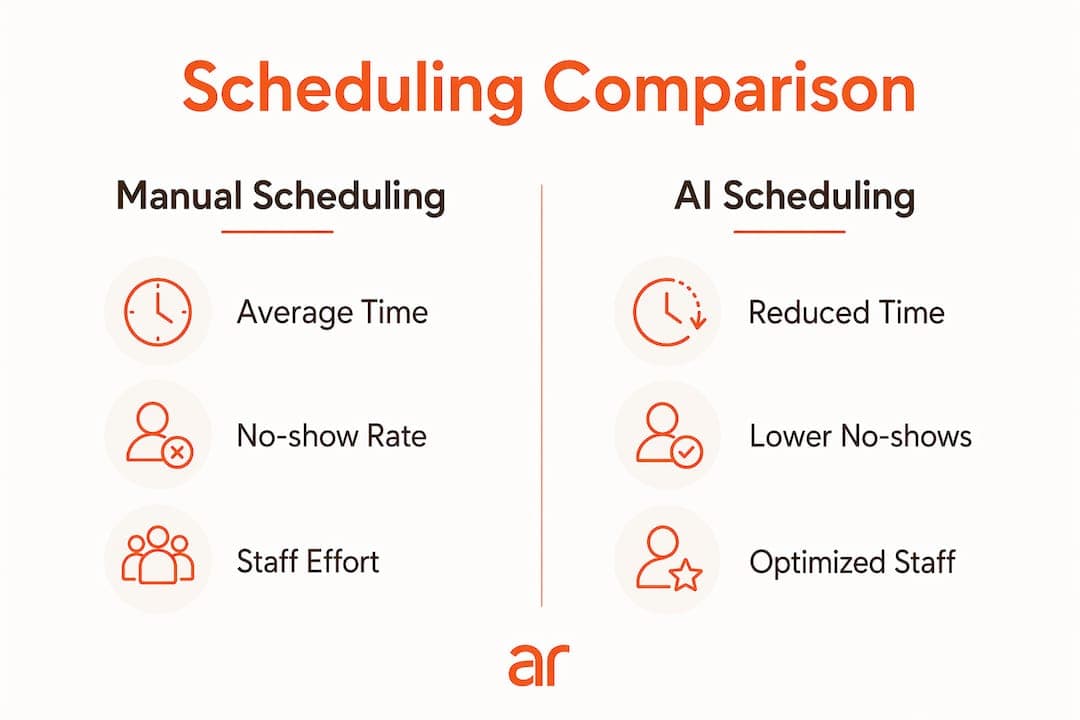
89% of patients value mobile or online scheduling. That preference is not just about convenience. It directly correlates with higher appointment completion rates and lower administrative costs.
What are the most common mistakes in patient scheduling automation?
Most implementation failures trace back to four specific mistakes. Knowing them in advance gives your team a real advantage.
-
Insufficient EHR integration. A scheduling portal that does not sync in real time with your EHR creates duplicate bookings and forces staff to manually reconcile calendars. This single failure mode eliminates most of the efficiency gains automation promises.
-
Over-automating complex cases. AI handles standard appointments well. New patient intakes with multiple comorbidities, urgent referrals, and behavioral health appointments often require human judgment. Routing these through the AI without exception logic creates patient safety risks.
-
Skipping operational rule configuration. Provider scheduling preferences, room availability, and equipment constraints must be embedded in the system before go-live. Systems configured without these rules generate technically valid but operationally impossible appointments.
-
Treating automation as a one-time project. Scheduling patterns change. New providers join, insurance contracts update, and patient volumes shift. A system that is not monitored and adjusted quarterly will drift out of alignment with clinical reality.
Successful automation depends on embedding operational constraints within the system rather than treating it as a pure IT project. The clinics that sustain efficiency gains are the ones that assign ongoing ownership of the scheduling logic to a named staff member, not just the IT department.
Automation covers roughly 85% of appointment volume, leaving the remaining 15% for human-managed exceptions. That ratio only holds if the exception routing is well-defined. Vague escalation rules push more volume back to staff and erode the efficiency gains quickly.
Pro Tip: Assign a scheduling operations lead who reviews AI decision logs weekly. Patterns in escalated cases often reveal configuration gaps that a quick rule update can resolve, preventing those cases from recurring.
Key Takeaways
AI patient scheduling automation delivers measurable gains only when EHR integration, clinical rules, and staff role definitions are in place before the system goes live.
| Point | Details |
|---|---|
| EHR sync is non-negotiable | Real-time two-way integration prevents double bookings and manual reconciliation. |
| No-shows drop with self-scheduling | Patient-selected appointments reduce no-show rates from 23% to as low as 1.6%. |
| Staff roles shift, not disappear | AI handles 85% of volume; humans manage exceptions and complex cases. |
| Pilot before full launch | Testing on one provider type surfaces configuration errors before they scale. |
| Ongoing monitoring sustains gains | Weekly log reviews and quarterly rule updates keep the system aligned with clinical reality. |
What we’ve learned about AI scheduling adoption
The clinics that get the most from AI scheduling are not the ones with the most advanced technology. They are the ones that did the operational work first.
We have worked with healthcare organizations that purchased enterprise-grade scheduling platforms and saw minimal improvement because the underlying provider rules were never configured. The AI had no clinical logic to work with, so it defaulted to showing every open slot to every patient. Staff ended up correcting mismatches manually, which is exactly the problem automation was supposed to solve.
The mindset shift that actually moves the needle is treating scheduling automation as a workflow redesign project that happens to use AI, not an AI purchase that happens to affect workflows. That distinction changes who is in the room during implementation. It means clinical operations leads, not just IT, own the configuration decisions.
Frontline staff are also underestimated in this process. When front desk teams understand that automation handles routine volume so they can focus on patients who genuinely need their attention, adoption improves dramatically. Resistance usually comes from staff who fear replacement. Clarity about the 85/15 split between AI and human tasks resolves most of that concern quickly.
The feedback loop is where long-term value compounds. Every escalated case is a data point. Every no-show that slips through is a configuration question. Organizations that build a review cadence into their operations calendar see continuous improvement. Those that treat go-live as the finish line plateau within a year.
— Arosplatforms team
How Arosplatforms supports AI scheduling in healthcare
Healthcare organizations that want to move from manual booking to intelligent patient scheduling need more than software. They need a system built around their clinical rules, EHR environment, and patient population.

Arosplatforms builds customized AI operating systems for healthcare organizations, embedding directly within your operations to configure scheduling logic, EHR integrations, and exception routing from the ground up. Clients see an average of 82% faster turnaround on key tasks, with many reaching positive ROI within twelve months. If your clinic is ready to move beyond generic scheduling tools, connect with our healthcare AI team to scope a solution built for your specific workflows. US-based healthcare enterprises can also explore AI consulting for US organizations to understand what a full deployment looks like in practice.
FAQ
What is an AI patient scheduling system?
An AI patient scheduling system uses machine learning and natural language processing to automate appointment booking, triage, reminders, and waitlist management without manual staff input. The most advanced tier, known as Intelligent Patient Appointment Scheduling (IPAS), integrates with EHR systems and insurance verification in real time.
How much can AI reduce patient no-show rates?
Automated self-scheduling reduces no-show rates to as low as 1.6%, compared to up to 23% with manual phone booking. Patients who select their own appointment times are significantly more likely to attend.
Does AI scheduling replace front desk staff?
AI scheduling does not replace front desk staff. It handles roughly 85% of standard appointment volume, freeing staff to manage exceptions, complex cases, and high-touch patient interactions that require human judgment.
What is the biggest technical risk in implementing AI scheduling?
The biggest risk is insufficient EHR integration. A scheduling portal without real-time two-way sync creates parallel calendars and forces manual reconciliation, which eliminates most of the efficiency gains the system was designed to deliver.
How long does it take to deploy an AI scheduling system?
A phased deployment from planning through full launch typically takes 13 weeks. Pilot testing on a single provider or appointment type before full rollout is the step most administrators skip and the one most responsible for failed implementations.