Automate Manufacturing Quality Control Reports Fast
Automate Manufacturing Quality Control Reports Fast

Manufacturing quality control report automation is defined as the use of AI, sensor data, and electronic quality management systems to generate inspection documentation without manual data entry. Quality managers who automate manufacturing quality control reports cut reporting time by up to 80% and eliminate transcription errors that compromise audit readiness. The industry standard term for this practice is automated quality assessment, and it sits at the intersection of ISO 9001 compliance, electronic Quality Management Systems (eQMS), and vision AI inspection. This article covers the tools, process steps, common pitfalls, and best practices you need to build a reporting workflow that runs itself.
What tools enable automated quality control report generation?
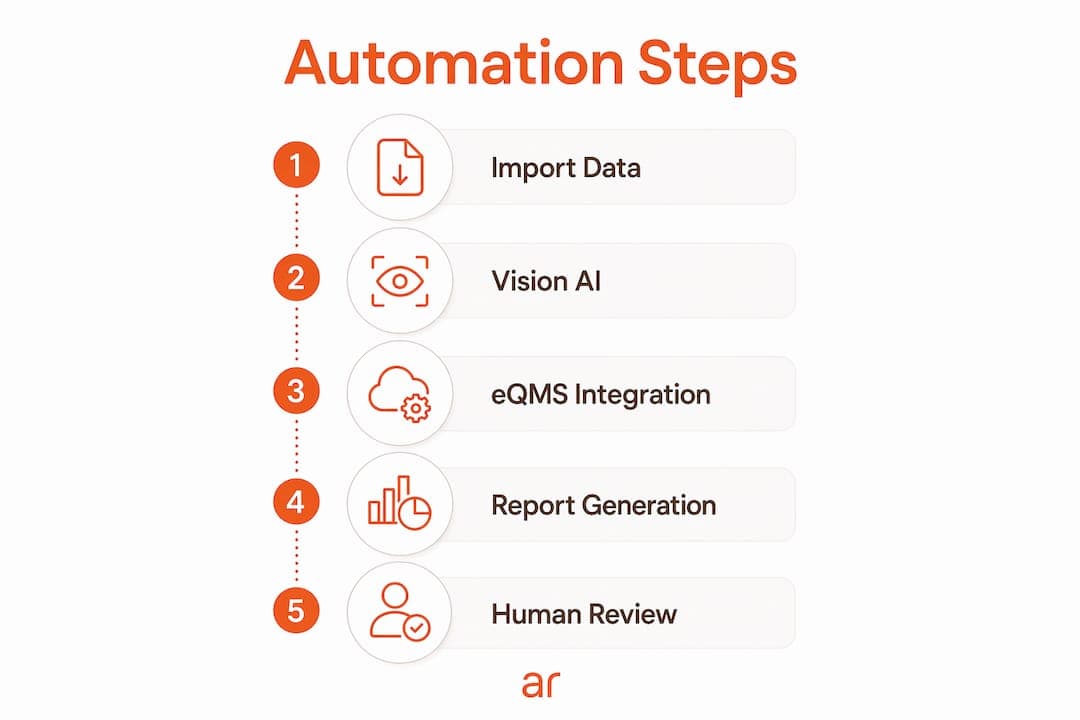
The four core technologies that power manufacturing report automation are coordinate measuring machine (CMM) data import, vision AI inspection, AI report generation software, and eQMS integration. Each layer handles a distinct job. Together, they form a complete automation stack.
Importing CMM measurement files directly into QC reports reduces inspection reporting time by up to 80% and eliminates transcription errors. A report that takes 15–25 minutes to complete manually drops to 2–5 minutes with zero data entry errors. That time saving compounds across every shift, every line, and every part number.
Vision AI goes further than CMM import. Automated quality inspection uses sensors and AI to continuously inspect products at any manufacturing stage, providing real-time defect detection, data collection, and defect classification. This replaces spot-check sampling with 100% coverage, which is the only way to catch low-frequency defects before they reach the customer.
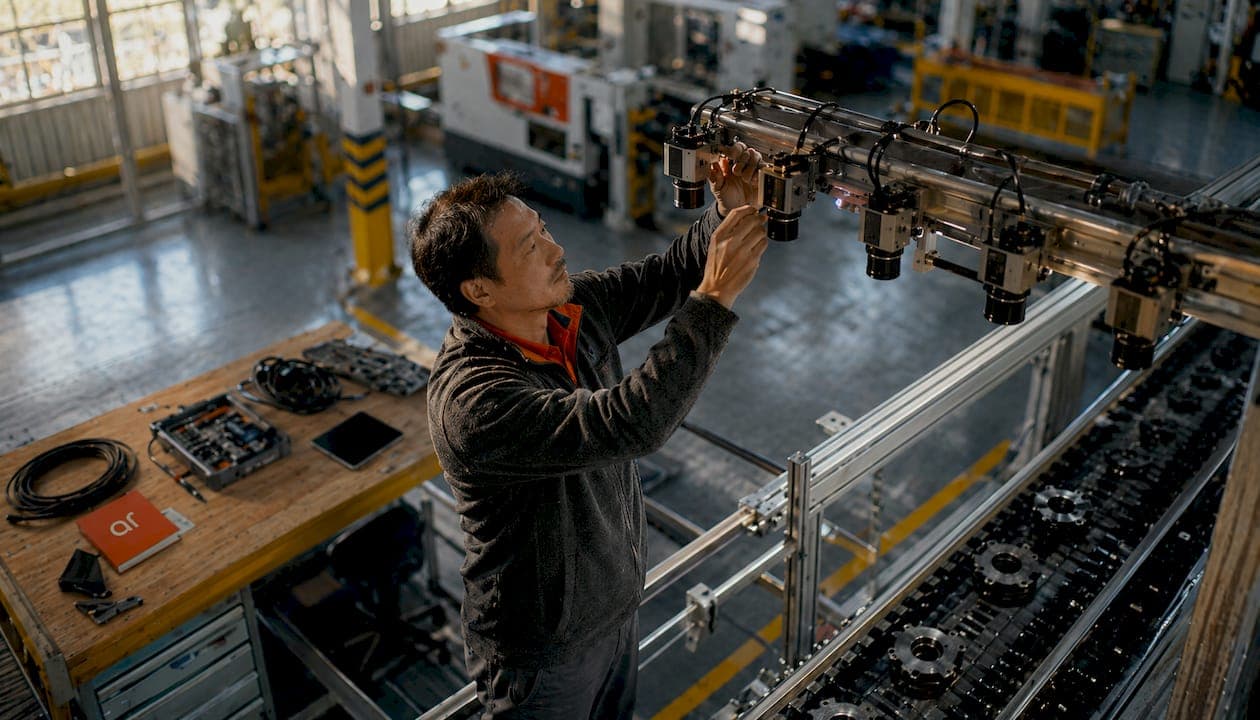
An eQMS manages quality records electronically but depends on vision AI to supply real-time quality data. Vision AI inspects 100% of production, logs defects with timestamps, and integrates with eQMS workflows for corrective and preventive action (CAPA) and audits. Without that sensing layer, an eQMS is just a digital filing cabinet.
The table below maps feature categories to the automation layer that handles each one.
| Feature category | Automation layer |
|---|---|
| Measurement data import | CMM file integration |
| Defect detection and classification | Vision AI inspection |
| Tolerance checking and flagging | AI analysis engine |
| Report drafting and formatting | AI report generation |
| Record storage and CAPA workflows | eQMS platform |
Pro Tip: Start with CMM file import before adding vision AI. Getting clean measurement data flowing automatically is the fastest win and the foundation every other layer depends on.
How to automate manufacturing quality control reports step by step
A repeatable automation process follows six sequential steps. Skipping any step creates gaps that force manual intervention later.
-
Capture measurement data at the source. Connect CMM machines, inline sensors, or coordinate measuring arms directly to your data pipeline. Raw measurement files should flow into a central repository the moment an inspection cycle ends, with no operator transcription required.
-
Set up AI-powered defect recognition. Deploy vision AI for defect detection on your production line. The system photographs or scans each part, classifies defects by type and severity, and logs results with timestamps. This step replaces manual visual inspection for surface and dimensional checks.
-
Run automated tolerance checking. Configure your AI analysis engine to compare every measurement against engineering tolerances. Out-of-spec results get flagged automatically, and the system assigns a pass, fail, or conditional status to each characteristic. AI-powered quality control reduces QC time by up to 80% through this kind of automated analysis and real-time monitoring.
-
Draft the report with AI. Feed the validated, flagged dataset into an AI report generation module. The system assembles a structured document that includes measurement tables, defect summaries, CPk values, and nonconformance notes. The key here is keeping statistical calculations separate from natural language generation, which prevents computational errors from contaminating the narrative sections.
-
Apply human-in-the-loop review. A quality manager reviews the AI-drafted report, confirms flagged items, and approves the final output. Human-in-the-loop validation remains essential for industrial standards and accountability even with AI-generated reports. This step takes minutes, not hours, because the data is already structured and verified.
-
Export and distribute audit-ready reports. The approved report exports automatically to your eQMS, ERP system, or customer portal in the required format. Timestamps, digital signatures, and version control are applied by the system, not by hand.
Pro Tip: Map your current report template field by field before configuring the AI drafting module. Every field the AI cannot populate from structured data becomes a manual gap. Eliminate those gaps at the design stage.
What challenges arise when automating QC reports?
Automation introduces new failure points alongside its benefits. Knowing where they appear lets you fix them before they affect report accuracy or audit compliance.
-
Data mapping errors during CMM import. File formats vary by machine brand and firmware version. A mismatch between field names in the CMM output and the report template produces blank cells or wrong values. Validate every import mapping against a known-good inspection file before going live.
-
Inconsistent inspection forms across shifts or lines. When operators use different form versions or field labels, batch AI extraction produces misaligned datasets. Standardize your inspection forms plant-wide and enforce version control through your eQMS before automating extraction.
-
Integration failures with existing QMS and ERP. API connections between new AI tools and legacy systems often break on data type mismatches or authentication changes. Test integrations with production-volume data, not just sample files, and build automated alerts for failed transfers.
-
Resistance from quality teams. Operators and inspectors sometimes distrust AI-generated reports, especially when the system flags parts they believe are good. Transparent audit trails, where every flagged result links back to the raw sensor data or image, address this concern directly.
“The biggest risk in quality report automation is not the AI making mistakes. It is the team assuming the AI cannot make mistakes. A human reviewer who understands the process is the last line of defense, and that role must be protected even as automation matures.”
Batch AI extraction transforms hundreds of separate inspection forms into consolidated, pivot-table-ready datasets in minutes, enabling ISO 9001 §9.1.3 compliance reporting. Manual consolidation cannot match that speed or completeness. But the extraction is only as good as the form standardization behind it.
Best practices for maximizing manufacturing report automation
The highest-performing automated reporting systems share a structural principle: they separate what the machine calculates from what the AI writes. Deterministic computation handles CPk, defect counts, and tolerance results using math modules with fixed logic. A separate AI document assembly layer then writes the narrative sections based on those verified outputs. Blending both functions in one system is the most common source of errors in automated QC reports.
Vision AI functions as a sensing layer, not just a camera system. Vision AI detects defects in real time and supplies complete defect trend data, enabling early intervention and improved CAPA effectiveness. It also generates photographic inspection evidence that satisfies audit requirements without any additional documentation effort. This makes it one of the highest-value investments in the automation stack.
Continuous improvement depends on the data that automated reporting produces. Use consolidated defect trend data to run proactive CAPA before nonconformances escalate. Schedule quarterly reviews of your AI models to keep them aligned with current part designs, tolerances, and standard operating procedures. ISO 9001 requires documented evidence of continual improvement, and automated reporting gives you that evidence automatically if you build the right data retention rules from the start.
Pro Tip: Roll out automation in phases. Start with one product family or one production line. Validate accuracy against manual reports for 30 days before expanding. A phased approach surfaces integration problems at low risk and builds team confidence faster than a plant-wide launch.
For teams managing AI agents and automation across multiple lines, a phased rollout also makes training manageable. Quality teams adopt new tools faster when they see results on familiar parts before the system scales.
Key Takeaways
Automated quality assessment works because it separates data capture, AI analysis, and human validation into distinct, auditable steps that eliminate manual errors and cut reporting time by up to 80%.
| Point | Details |
|---|---|
| CMM import cuts report time | Automated file import reduces a 25-minute task to under 5 minutes with zero transcription errors. |
| Vision AI enables 100% inspection | Sensor-based defect detection replaces spot-check sampling and feeds real-time data to eQMS workflows. |
| Separate calculation from writing | Keep statistical math modules distinct from AI narrative generation to prevent computational errors in reports. |
| Human review stays non-negotiable | Quality managers must approve AI-drafted reports to meet industrial standards and maintain audit accountability. |
| Phased rollout reduces risk | Starting with one line or product family validates accuracy before plant-wide deployment. |
What we have learned building automated QC reporting systems
The most common misconception quality managers bring to automation projects is that the technology does the hard work. The technology handles the repetitive work. The hard work is designing clean data flows, standardizing forms, and deciding what a quality manager’s review actually needs to catch.
We have seen teams invest in sophisticated AI report generation tools and then spend months fighting bad outputs because nobody audited the upstream data. The AI writes what it receives. If CMM files have inconsistent field names, or inspection forms vary by shift, the reports reflect that disorder. Fixing data quality before automation is not a delay. It is the project.
The other pattern worth naming is over-automation. Some teams remove human review entirely to maximize speed. That works until it does not, and when it fails, the failure is invisible until an audit or a customer complaint surfaces it. The quality managers who get the best results treat automation as a drafting assistant, not a signing authority. They use the time saved on data entry to do deeper analysis, not to skip the review step.
The teams that adopt automated reporting fastest are not the ones with the most technical resources. They are the ones with the clearest process documentation. If you can describe your current reporting workflow in writing, you can automate it. If you cannot, automation will expose every gap.
— Arosplatforms team
How Arosplatforms supports manufacturing quality reporting
Arosplatforms builds customized AI operating systems for manufacturing teams that need more than off-the-shelf software. The AI OS for Manufacturing integrates visual quality inspection, predictive maintenance, and automated report generation into a single system designed around your production environment.

Clients report an average of 82% faster turnaround for key tasks, with many reaching positive ROI within twelve months. Arosplatforms embeds directly in client operations, which means the system is built for your part families, your tolerances, and your audit requirements. There is no vendor lock-in. Your team owns the system and can manage it independently. If you want to see what a purpose-built AI operating system looks like for your production lines, Arosplatforms is the place to start.
FAQ
What does it mean to automate manufacturing quality control reports?
Automated quality assessment replaces manual data entry and report writing with AI-driven data capture, tolerance checking, and structured document generation. The process uses CMM imports, vision AI, and eQMS integration to produce audit-ready reports in minutes.
How much time does automation save on QC reporting?
Importing CMM measurement files automatically reduces reporting time by up to 80%, cutting a 15–25 minute manual task to 2–5 minutes with zero data entry errors.
Is human review still required with automated QC reports?
Human-in-the-loop validation remains essential even with AI-generated reports. Quality managers must review and approve final outputs to meet industrial standards and maintain accountability.
What is the role of vision AI in quality report automation?
Vision AI inspects 100% of production in real time, classifies defects, and feeds timestamped data directly into eQMS workflows. This replaces manual spot-check sampling and provides photographic audit evidence automatically.
How does batch AI extraction support ISO 9001 compliance?
Batch AI extraction consolidates hundreds of separate inspection forms into structured datasets in minutes, enabling ISO 9001 §9.1.3 compliance reporting that manual consolidation cannot match for speed or completeness.